
Google Search Console helps your SEO web traffic
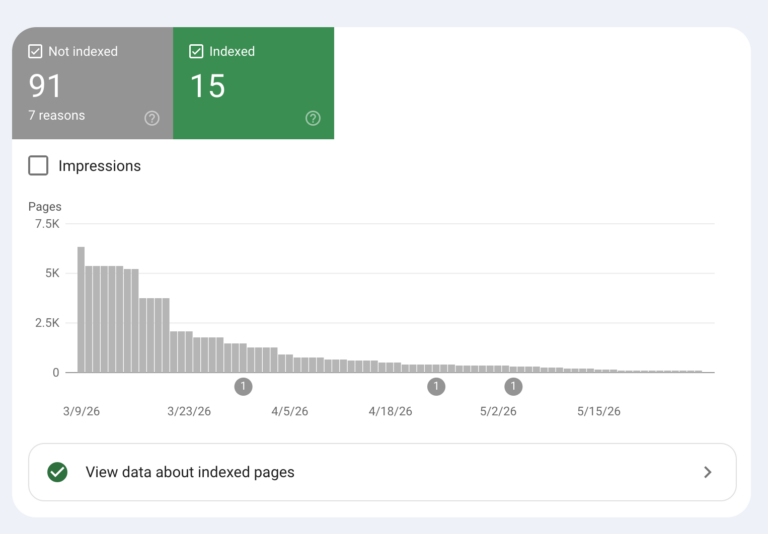
If you’re doing SEO without Google Search Console, you’re guessing … and guessing is costing you web traffic. It’s the only tool that shows you exactly how Google sees your site, and it’s completely free. From tracking which search terms bring people to your site, how often your pages appear in results, to catching broken pages and security issues before they hurt your search rankings – it covers everything. Set it up once, and you’ll always know exactly where you stand in Google’s searches.
Google Search Console is arguably the most essential free tool in any SEO strategy! Without it, your efforts for Search Engine Optimization will be essentially optimizing blindly. It provides the direct data straight from Google itself which every other SEO decision should incorporate.
This free tool that helps you monitor and improve how your website appears in Google Search results. It shows you exactly how Google sees your site, and where you have opportunities to attract more organic traffic. Think of it as your website’s health dashboard – it’s the foundation every smart SEO strategy is built on.
Here’s what Google Search Console does:
- Search Performance: See which search terms are bringing people to your site, how often your pages appear in results, how many people click through, and where you typically rank.
- Indexing and Crawling: Confirm that Google can actually find and read your pages. You can also submit your sitemap and request faster re-indexing whenever you update content.
- Site Health: Get alerted to technical problems like crawl errors, broken pages, security issues, or manual penalties from Google before they quietly hurt your rankings.
- User Experience: Review how well your site performs on mobile devices and how fast and stable your pages are for real visitors.
To get started, add your website to Google Search Console, verify that you own it, and you can immediately begin understanding and improving your search visibility.
The real nitty gritty is this: Substantial effort is needed to analyze the Search Console errors and correct them for better SEO. Google is quick to send you indexing errors that occur on your site. Cleanup happens in the site’s file structure and in key website files by changing or adding code. Some assembly required!
Consult with your web developer to stay on top of your site’s SEO and visibility.